Dell Latitude 5450 review
My workhorse since September 2025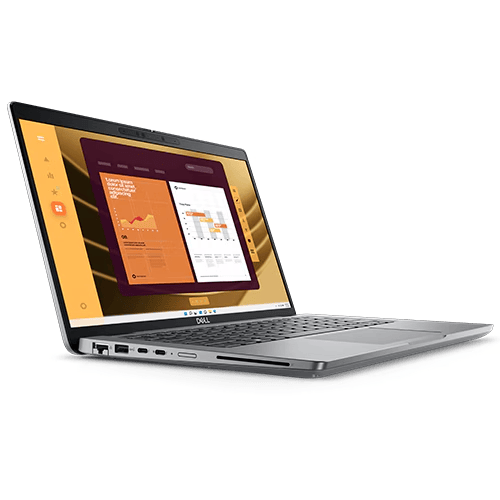
Back in February 2026, I documented my work setup based around my trusty M1 Pro Max. In that blogpost, I mentioned that things have changed significantly. For a recap:
 MereCivilian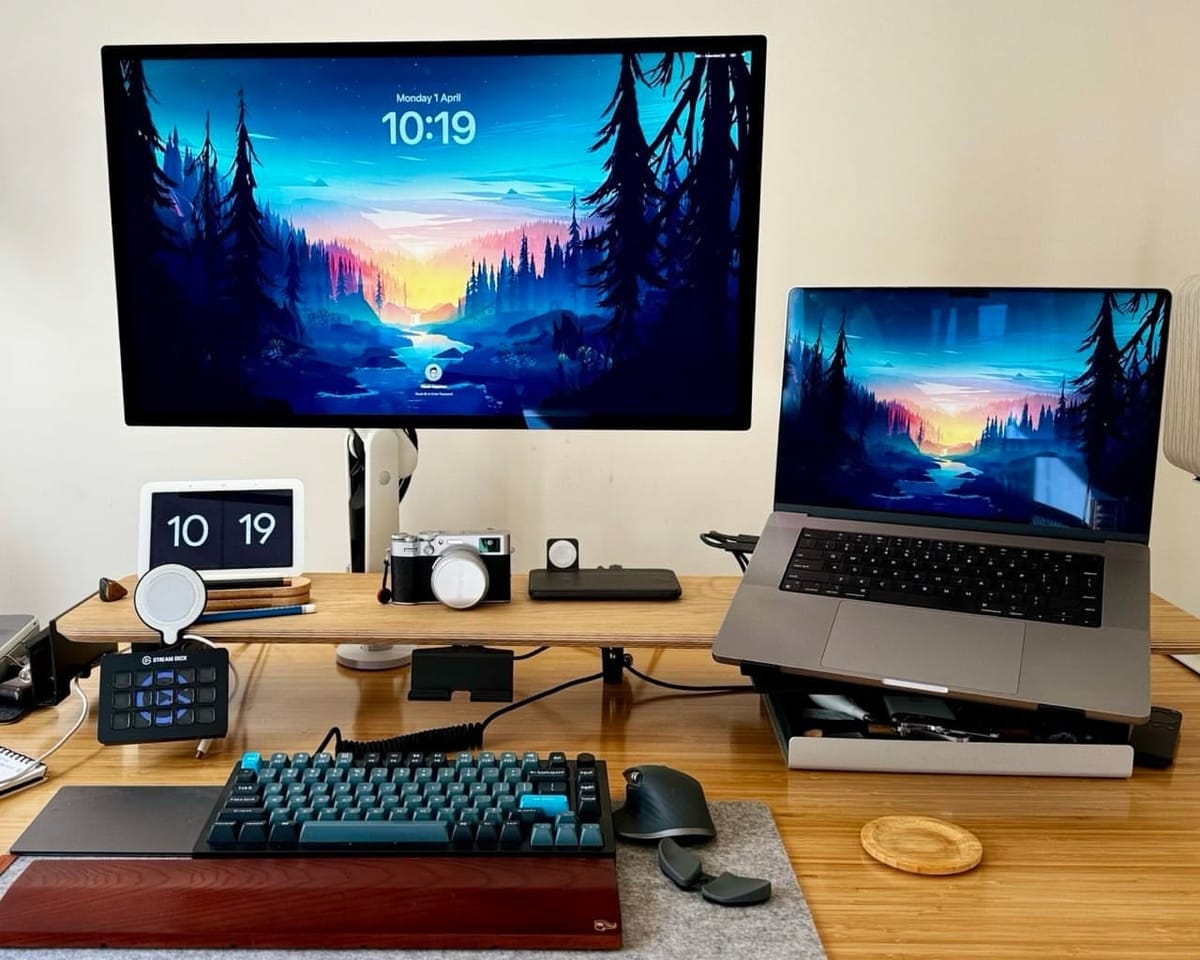
One way to approach this review is simply saying, "It's a corporate Dell laptop" and call it a day. However, that would do great injustice to this machine.
For me, it is my workforce; every single dollar I have earned since September 2025 is by using this laptop. Therefore, regardless of how good or how terrible it is, I have a lot of respect and admiration for the Dell 5450.
Specs:
- Windows 11 Enterprise
- 1tb SSD storage 💾
- Intel processor of some sorts (I believe that is the technical specification 😹) (Intel Core Ultra 5)
- 16gb of ram 🐏
- 2 USB C ports (pretty sure these are USB 4 rather than Thunderbolt)
- 2 USB A ports
- 1 HDMI port 📺
- Webcam (which I have taped over, paranoid me 😰) 📷
- Audiojack 🎧
This laptop is no longer sold. You can usually buy it for AUD500 to AUD700. I think that's a fair price for it.
Impressively, it has not slowed down on me and never felt that I required more performance. For my personal computing, I get the most powerful Apple hardware, when for my actual work, a mid-range Dell is sufficient. This puts things into perspective, and from now on, I am unlikely to splurge on high-end Apple hardware (I type this on a MacBook Pro M1).
Work software stack
Since starting work at my current employer over 16 years ago, I have never had the privilege of installing software I desire. All software installed are managed and installed by corporate IT.
Unlike in my personal computing where I have spent countless hours (if not days) trying to find and use the best software for my use case, the lack of choice in my work software stack has actually not been a problem. To be honest, it has been quite freeing, despite the lack of choice appearing like a limitation (ironic, is it not).
Interestingly, because there is no other option, I make the most out of the current software stack, which I have been using for over a decade. I know its limitations and I know its advantages. I have the focus at work that I miss on my personal computing. For example, I moved from Things 3 to Todoist over 3 years ago. I know in my mind that for my use case, Todoist is the better choice. However, every so often, I still visit the Things 3 website to see what's new. By the way Todoist is no longer blocked by corporate IT 😹.
I live in the Microsoft suite of apps for my work, largely in Microsoft Word (60%) and Microsoft Outlook. Lately, work has switched communication to Microsoft Teams, so that's invaluable to me now. Notes are in OneNote and the default browser is Microsoft Edge. Thankfully, we also have Firefox with an ad blocker.
OneNote is pretty good. I even tried to use it for personal notes. Strangely, I couldn't stand it outside of the corporate environment. I found it ugly 🦢.
Copilot is also part of my software stack, and I actually do not mind it. For research, it has been invaluable, not perfect, but a good foundation. I deal with legislation and court cases. It's incredible. I can find relevant information easily. The system breaks down judgments into bullet points. This makes them simple to understand. I can also ask for specific things. For example, I can ask for a list of issues where judges disagreed.
Windows 11
The laptop came with pre-installed with Windows 10. I didn't mind, but eagerly waited the arrival of Windows 11. I knew it was coming because Microsoft was ending Windows 10 support soon, and being good corporate citizens, my employer would upgrade sooner rather than later.
A few months ago, Windows 11 arrived 👏, and I was super excited. Kind of like a child on Christmas Day. However, within the first hour, my excitement was short-lived. Nothing wrong with Windows 11. I had over-hyped it in my mind, and when it arrived, it was just another working day.
The Windows 11 upgrade was completed in the office. The next day, all hell broke loose.
😔💔😩
Apple Studio Display
The Windows 11 upgrade was not all roses. My beloved Apple Studio Display stopped working. That made me sad.
Where there's a will, there is a way.
Thank the good Lord for showing me the correct path 🙏
The solution has legs, but has also some compromises:
- The resolution is 4K instead of 5K
- ⛔ One cable solution
The most upsetting part was going through the process of finding another monitor, and readers of this blog will know that I have yet to find one.
Thankfully, I found a solution. Its not perfect, but it works. It required the following two items:
- Tunghey HDMI to USB C Adapter Cable 2M 4K@60Hz with USB Power Adapter (AUD40 from Amazon)
- Targus DOCK180 USB-C Docking Station (bought used on eBay for AUD50)
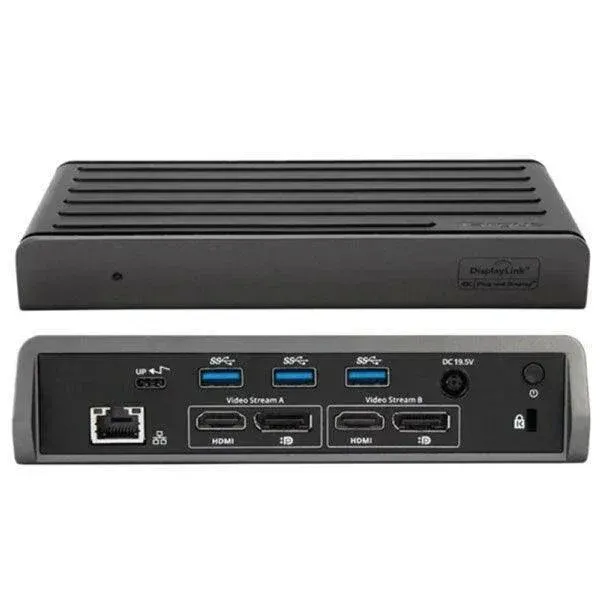
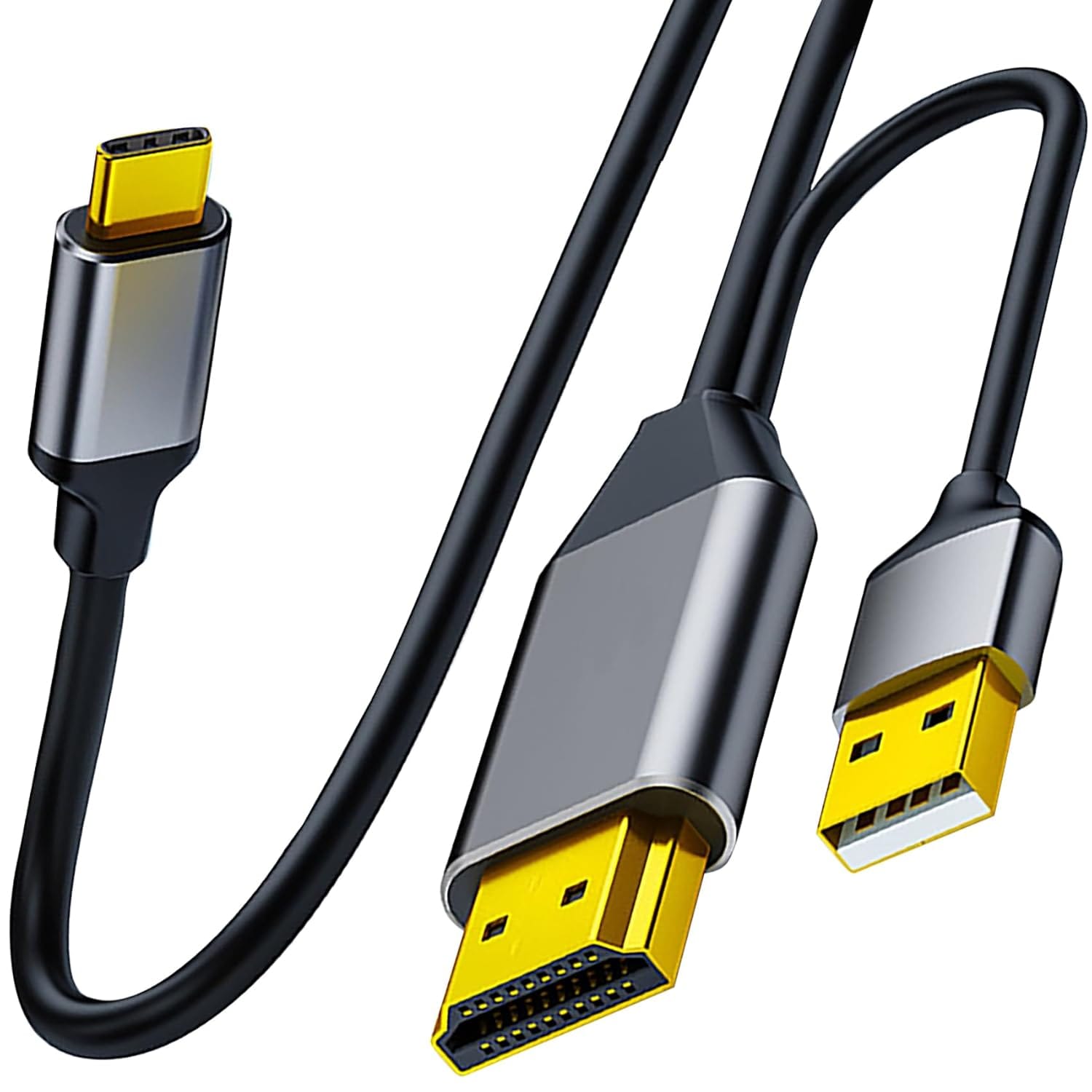
My setup now is: the Dell laptop is connected to the Targus Dock via USB C cable. The Targus Dock is connected to the Apple Studio display using the Tunghey HDMI cable. The USB C side is connected to the Apple Studio Display.
Honestly, the Targus Dock is unnecessary. At first, I was simply connecting the Tunghey HDMI cable from the Dell Laptop to the Apple Studio Display. However, this setup does not charge the laptop. Plus, with the limited length of the cable, the fan noise from the Dell laptop was distracting. The Dell laptop fan is always on. That is why, previously, I used a 5m USB C cable to ensure the Dell is put FAAAAAARRRR away in the closet.
The Targus Dock allows me to:
- continue using the 5m cable and putting the laptop further from my sensitive ears.
- connect my other accessories like a webcam etc.
- charge the laptop
The downsides are:
- 4K resolution
- connection takes a few seconds (up to a minute) longer to establish compared to when I was using it with one USB C cable.
- This setup is still not as reliable as I would like. Occasionally, the Dell needs to be restarted etc.
Perhaps, a Dell monitor is more reliable because the corporate laptop comes with the Dell Monitor app pre-installed, and in the office, we have a Dell 34inch ultrawide monitor (which, to my surprise, I enjoy using). I could buy that (sold on eBay for approx. AUD500) and call it a day. However, my ass is spoilt by the Apple Studio Display. So I live with this setup for now.
Dell Laptop Disappointment(s):
The only genuine disappointment with this laptop is that the fan is always on and its loud. Coming from the MacBook M1 Max, I am very sensitive to fan noise because the MacBook was super quiet. As stated above, I go to great lengths to put this laptop as far away from my desk as possible.
This is a 14-inch laptop and I miss the 16-inch display, but if I am being honest, over 98% of the time, the MacBook was used in clamshell mode, and the Dell is no different in that regard.
The build quality is terrible. It's all plastic, all around.
Does it really matter? NO, it's not as nice to hold as the MacBook, but it does the job. That's what matters.
How often am I holding it? Exactly once a week when I need to take it to the office and plug it into the Dell 34 inch ultra wide monitor. Even at work, I put the laptop under the desk to mask out the fan noise. I hate it. I hate it with a passion. Okay, that's probably too strong...
Conclusion:
The bottom line is that for a corporate employee working in a not-for-profit sector, which I am, this laptop does the job and it does it well. It is cheap to acquire and cheap to replace. It has no character. I am not emotionally attached to it as I am to my almost 5-year-old 16 inch M1 MacBook Pro.
However, I use a Dell to pay my bills and not the MacBook. That took a long time to get used to. Isn't it ironic? I overthink the tools when the most basic tool will do the job.
Perhaps that is the lesson here. At the end of the day, the best tool for the job is the tool that does the job. Anything more is unnecessary.
Written entirely on the M1 MacBook Pro, using Ghost Editor on Arc Browser.